
Start from your login page
Choose the login page that matches your account type. Enter a username and password to display the login error message, then select Lost your password?
Before you begin
Use your registered email address.
The reset instructions can only be sent to the email connected to your account.
1
Open the password reset link
Enter information in both login fields and select Log in. When the error message appears, select the Lost your password? link.
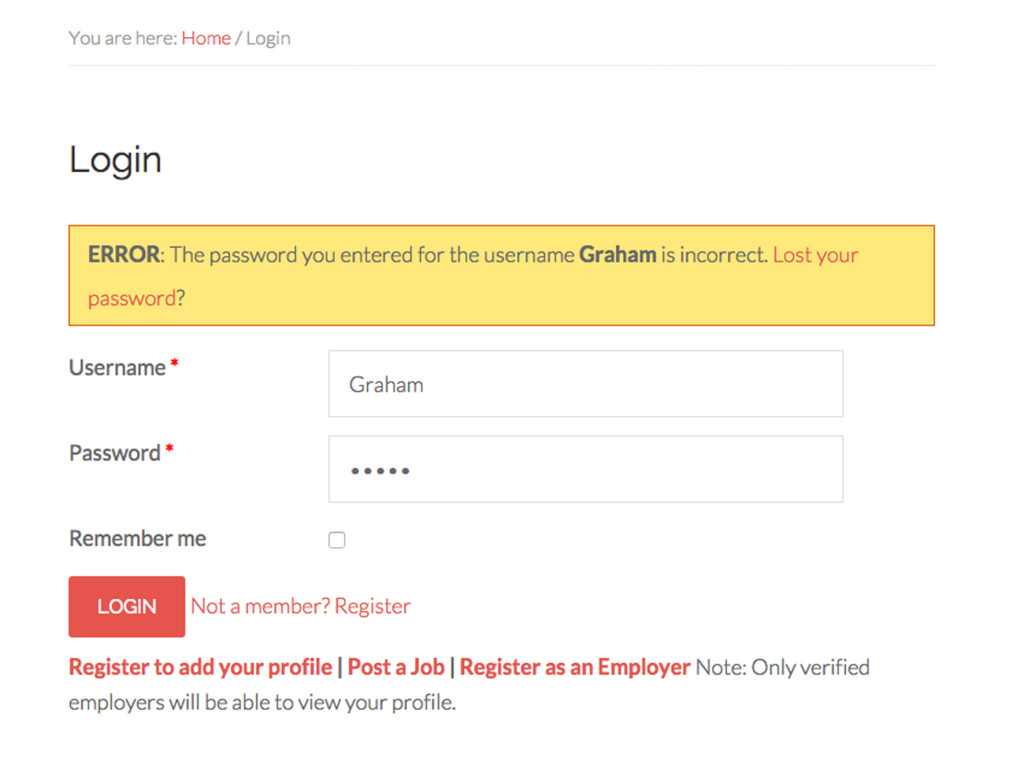
Step 1: Select “Lost your password?” from the login error message.
2
Request your new password
Enter the email address you use for Grey Nomads Jobs, then select Get New Password. Check your inbox and follow the instructions in the email.
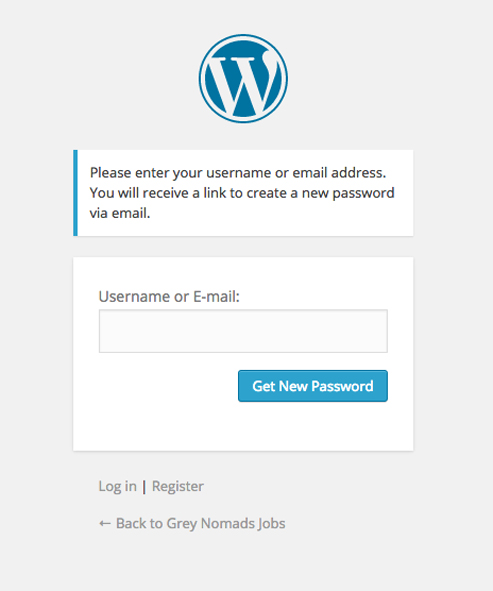
Step 2: Submit your registered email address to receive reset instructions.
Didn’t receive the email? Check your spam or junk folder and confirm that you entered the address connected to your account before requesting another email.
Ready to continue?
Return to your account login or browse current opportunities.